
User Personas: Project Management | Field
eSUB Drive is a centralized file storage and management system for your organization. Important company files can be uploaded to eSUB Drive so they are easily accessible to users in both the office and the field. File storage and management at the project level is available in the project menu under Project Drive. The Project Drive is a place to store the files that are only pertinent to the given project, and only accessible by members of the project.
To perform the actions described in this article, a user must have been granted the Company Drive - General Permissions and Project Drive - General Permissions permissions.
Use the links below to quickly jump to a topic:
Access eSUB Drive on Mobile
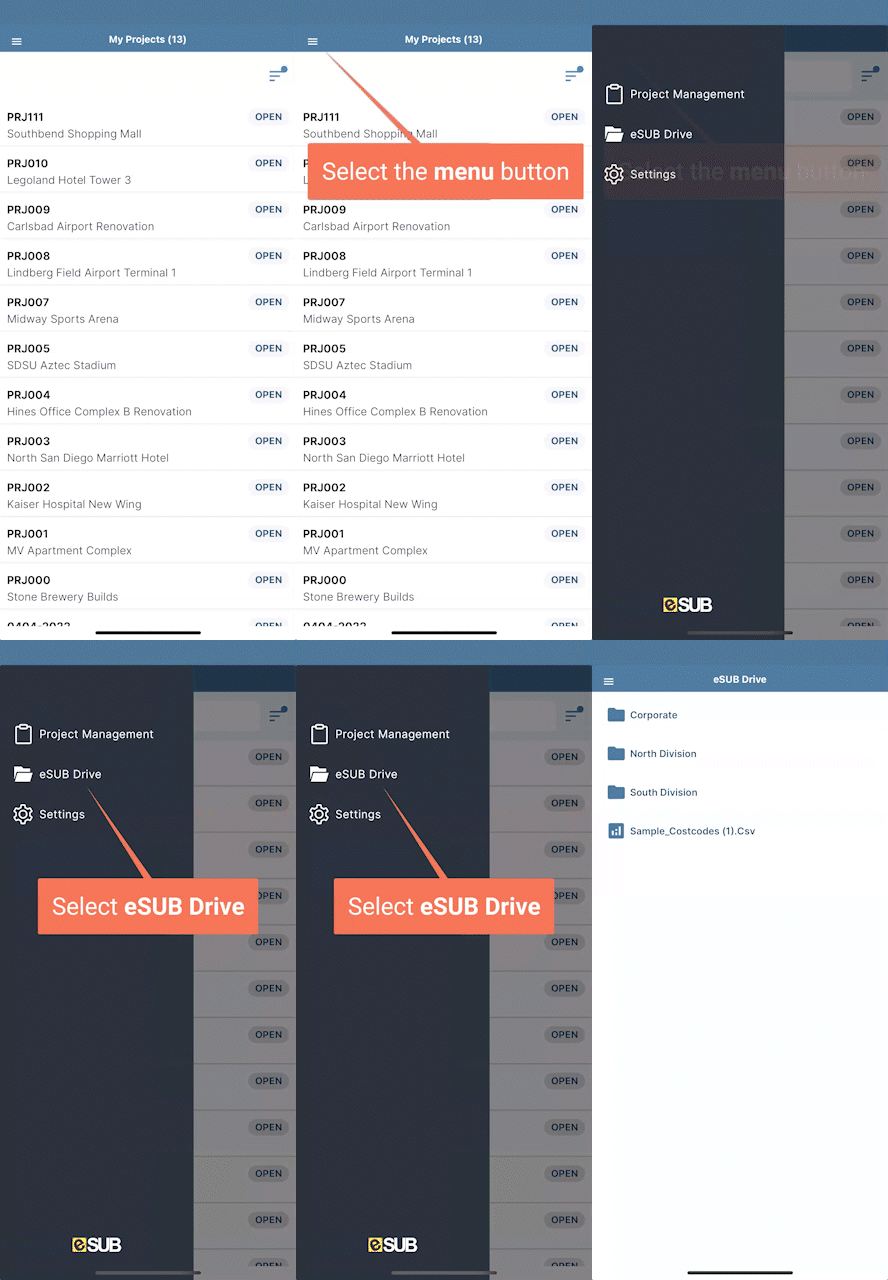
View Company Files
- Select the Menu button, then select eSUB Drive
- Select a folder to view its contents
| Access eSUB Drive (Company level) |
 |
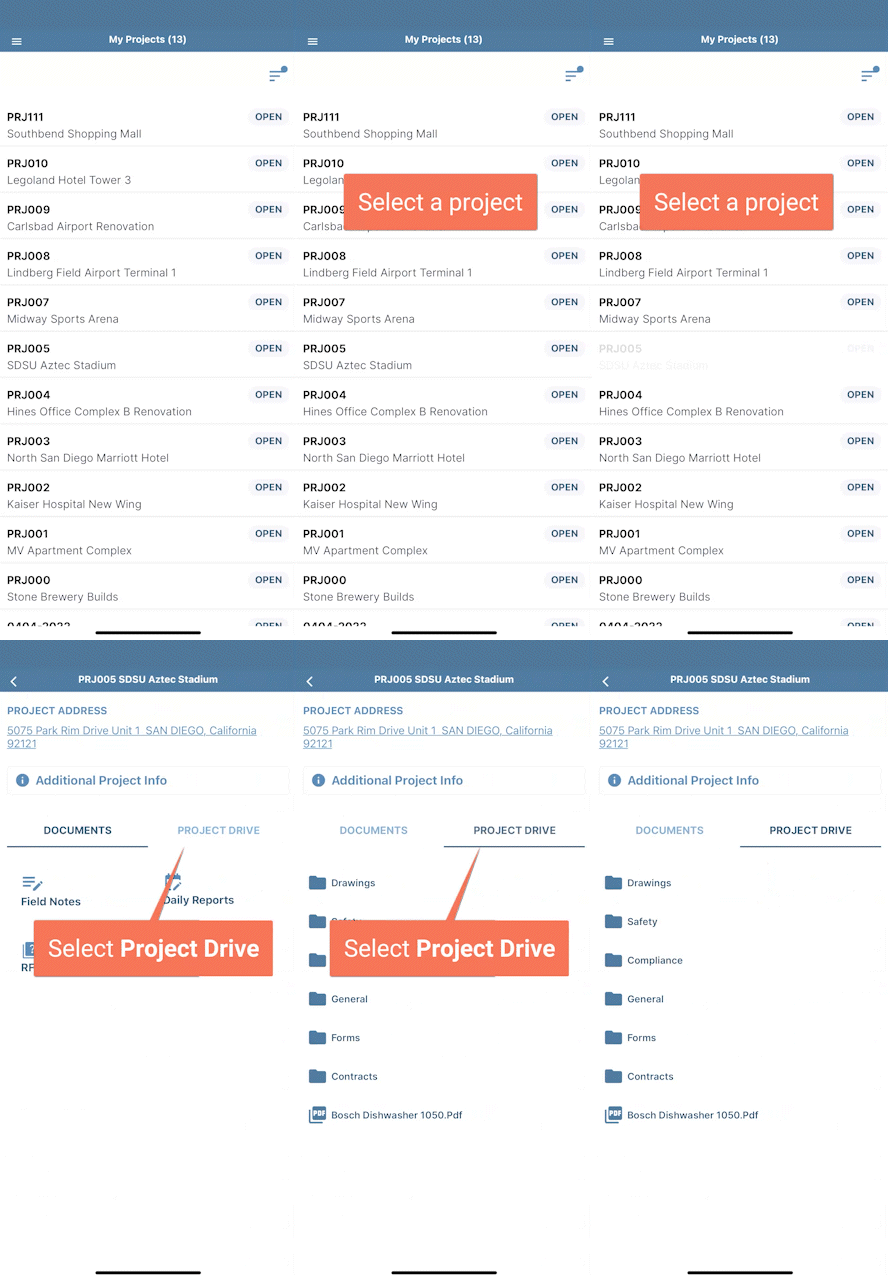
View Project Files
- Select a project from the list, then select the Project Drive tab
- Select a folder to view its contents
| Access Project Drive |
 |
Comments
0 comments
Please sign in to leave a comment.